Recent Work

A portfolio for 10sxrstudio to provide online information about design and built projects.
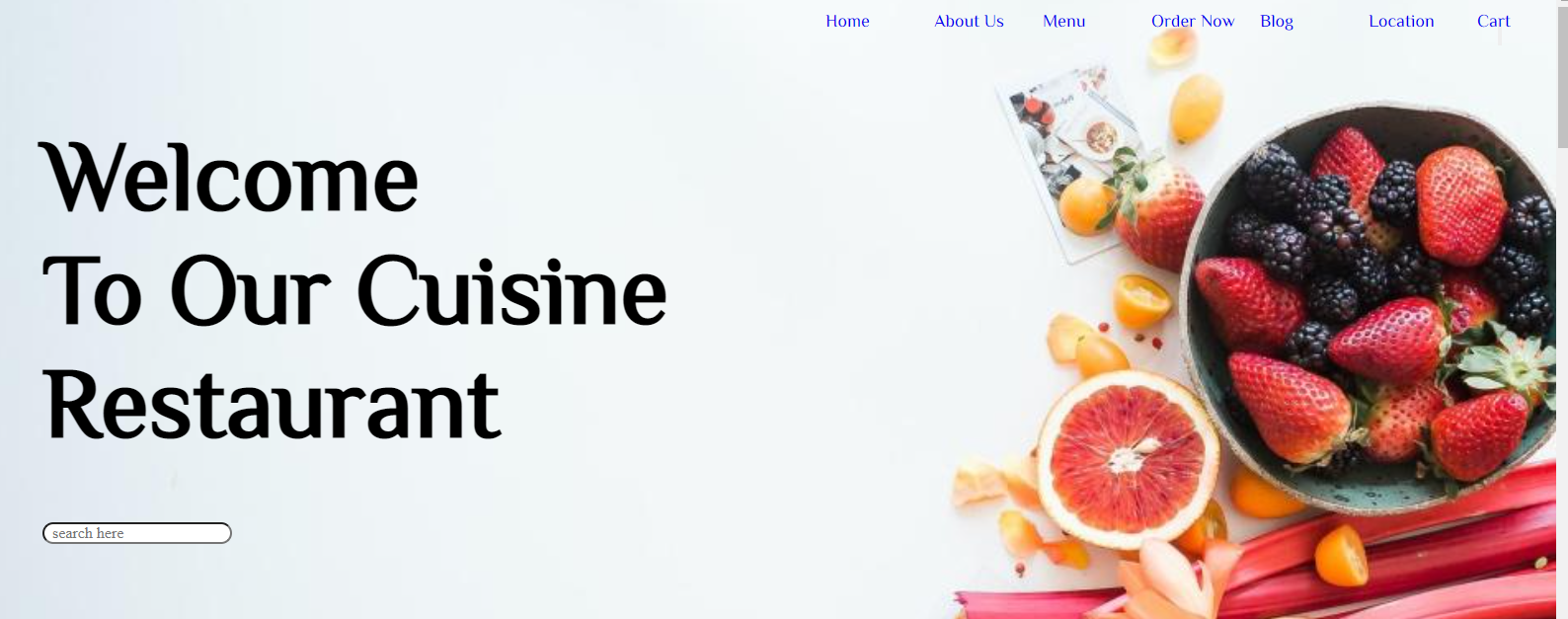
The cuisine restaurant was established to serve internet customers. The site included several cuisines and provided menu information.

HTML and CSS was used to develop a salon landing page. The client can book early and learn about early promotions.
Status: In progress
About

I am very keen in coding, web programming , web 3.0, blockchain technology as well as research and development. My previous 9 years of scientific research instilled in me an investigative and problem-solving mindset, inquisitiveness, and appreciation for technological breakthroughs.
I'm currently working on front-end and back-end web development skillsets while maintaining professional skillsets in scientific research.
Contact
Dev Notes-001-: What is Node.js
Node.js is a JavaScript runtime environment built on Chrome’s V8 engine.
It allows developers to execute JavaScript code outside the browser — mainly used for building
backend servers, APIs, and real-time applications such as chats and streaming apps.
💡 Key Concepts
- Runtime Environment: Runs JavaScript code directly on the computer, not just in browsers.
- V8 Engine: The same engine used by Google Chrome to execute JS quickly.
- Non-blocking I/O: Handles many requests simultaneously without waiting — making it fast and efficient.
- Single Threaded: Uses an event loop instead of multiple threads for handling tasks.
- npm (Node Package Manager): Lets developers install and manage external libraries or frameworks easily.
🧱 Common Use Cases
- Building RESTful APIs for web and mobile apps
- Developing real-time chat or notification systems
- Creating command-line tools (CLI apps)
- Serving dynamic web pages and managing backend logic
The Big Picture: How Node.js Fits in a Full-Stack App
Think of your web app like a restaurant:
| Layer |
Analogy |
Technology |
| Frontend |
Dining area — where users interact |
HTML, CSS, JavaScript, Tailwind, React |
| Backend |
Kitchen — processes orders and requests |
Node.js + Express.js |
| API |
Waiter — sends and receives data |
REST API, JSON |
| Database |
Storage room — keeps the data |
MongoDB, MySQL, PostgreSQL |
| Hosting |
The restaurant building — where everything lives |
Netlify (frontend), Vercel or Render (backend) |
How the Request–Response Flow Works
- The frontend sends a request (like
GET /users).
- Node.js + Express receives the request and runs backend logic.
- The backend queries the database and gets data.
- The backend sends a JSON response back to the frontend.
- The frontend displays the result beautifully on the UI.
⚙️ Simple Example Node.js Server
// Example: Create a basic HTTP server with Node.js

														const http = require('http');

														const server = http.createServer((req, res) => {
  														res.writeHead(200, {'Content-Type': 'text/plain'});
  														res.end('Hello from Node.js!');
														});

														server.listen(3000, () => {
  														console.log('Server running at http://localhost:3000');
														});
Run this with node app.js. Visit
http://localhost:3000 — and you’ll see your server running!
Example Project Structure
myapp/
|-- frontend/
|   |-- index.html
|   |-- style.css
|   `-- script.js
|
|-- backend/
|   |-- server.js
|   `-- routes/
|       `-- userRoutes.js
|
|-- package.json
`-- README.md
Why Developers Love Node.js
- ⚡ Fast and efficient thanks to the V8 engine.
- 🌍 Uses one language — JavaScript — for both frontend and backend.
- 🧩 Massive open-source ecosystem via npm.
- 💬 Ideal for real-time apps (chat, notifications, live dashboards).
- 🚀 Great for startups and rapid prototyping.
Where Node.js Is Commonly Used
- APIs and backend servers for mobile or web apps
- Real-time chat or collaboration tools
- Marketplace and SaaS dashboards
- Automation and CLI tools
- Streaming and IoT platforms
“Node.js brings JavaScript beyond the browser — enabling full-stack development using a single language.”
Next Steps
- Learn the basics of Express.js — routing, middleware, and error handling.
- Connect your backend to a database (MongoDB, MySQL, or PostgreSQL).
- Create APIs that return JSON to your frontend.
- Style your frontend with Tailwind CSS or React components.
- Deploy — use Netlify for frontend and Render/Vercel for backend.
Start small — one route, one API — then build your way up. Node.js makes it easy to grow fast 🚀
💬 Leave a Comment
🔗 Share this note